
logologo
search_icon
search_iconAll
search_iconContinue Playing
search_iconHot Games
search_iconNew Games
search_iconSimulation
search_iconAdventure
search_iconAction
search_iconStrategy
search_iconCasual
search_iconRacing
search_iconPuzzle
search_iconSports
search_iconMore
AboutAbout
BusinessBusiness
PrivacyPrivacy
TermsTerms

© 2026 minigame.com

mascot

Join The Minis With Friends

search_icon
search_icon
search_icon
search_icon
search_icon
search_icon
search_icon
search_icon
search_icon
search_icon
search_icon
search_icon
more_icon
AboutBusinessPrivacyTerms
logo
Drawing Horse Coloring

Drawing Horse Coloring

Recommended
Magic Sort
ColorTheTown
Tiny Miner: Rivals Online
Fruit Pair Match
Punching Little Monsters
CowSaver
ASMR Makeover
SupermarketGoShopping
FamilyVillaDecoration
CookingDeliciousCrab
Destroy Galaxy
Bird Sort Puzzle
Goods Triple Match
Pixel Color
Color Border
Egg Shooter Dinosaur
Drawing Horse Coloring

Drawing Horse Coloring

5casualCasual
Play Now
Like
Dislike
Add to favorites
Feedback
Drawing Horse Coloring
Meow Block

Meow Block

Meow Block
Meow Block687.8K
Pixel Match

Pixel Match

Pixel Match
Pixel Match714.9K
MahjongConnect

MahjongConnect

MahjongConnect
MahjongConnect266.0K
CrazyMahjong

CrazyMahjong

CrazyMahjong
CrazyMahjong847.0K
Jelly Puzzle

Jelly Puzzle

Jelly Puzzle
Jelly Puzzle516.4K
Merge 20

Merge 20

Merge 20
Merge 20502.3K
waterpark sliding

waterpark sliding

waterpark sliding
waterpark sliding763.4K
Mechasaur Devour

Mechasaur Devour

Mechasaur Devour
Mechasaur Devour721.6K
Goods Match

Goods Match

Goods Match
Goods Match277.5K
Yarn Match

Yarn Match

Yarn Match
Yarn Match681.2K
AboutBusinessPrivacy
logo

© 2026 minigame.com

Games>
Casual>
Drawing Horse Coloring

Drawing Horse Coloring

Rating
5
Orientation
Portrait
Release Date
2026-05-25
Casual

Play Drawing Horse Coloring Online Free

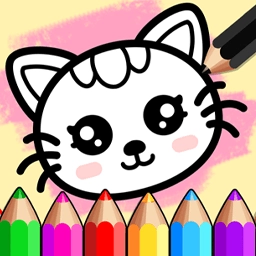
Drawing Horse Coloring is an enchanting and educational digital art studio designed to inspire creativity in young children. The game offers a rich variety of themes, including "Pets," "Fairy Tale," and "Town," allowing players to choose from iconic figures like majestic horses, cute puppies, and magical unicorns. The core experience focuses on guided tracing, where kids follow dotted lines to learn how to draw basic shapes and characters step-by-step. Once the sketch is complete, a wide palette of vibrant colors and artistic tools becomes available to bring their artwork to life. Whether using the "Free Drawing" mode for total creative freedom or the "Background" mode to create full scenes, this game provides a safe, fun, and relaxing environment for children to develop fine motor skills and artistic expression. It is the perfect digital sketchpad for aspiring little artists.

Key Game Features

Educational Tracing: Learn to draw step-by-step by following intuitive dotted outlines of various animals and objects. Rich Theme Selection: Explore multiple categories like Fairy Tale, Pets, and Town with dozens of unique characters. Vibrant Coloring Tools: Access a wide range of bright colors and artistic brushes to customize every creation. Creative Freedom: Switch between guided drawing and a blank sketchpad for unrestricted artistic exploration.

How to Play & Master

To begin your artistic journey in Drawing Horse Coloring, first select a category from the top menu, such as "Pets" or "Fairy Tale." Browse through the character options and tap on one that you’d like to draw, such as a horse or a bird. On the drawing screen, you will see a dotted line representing the character's shape. Use the hand-shaped icon to follow the dots from one point to another; the game will automatically complete the line as you drag your finger or mouse. Once the entire outline is traced, you can enter the coloring phase. Select different colors from the palette and tap on specific areas of your drawing to fill them with color. If you prefer a blank slate, you can choose "Free Drawing" from the main menu to sketch anything you want from scratch. Once your masterpiece is finished, you can save or share your art!

Game Controls

Use your Mouse or Touchscreen to click and drag to trace lines and select colors.

Frequently Asked Questions (FAQ)

Q: Can I restart my drawing if I make a mistake? A: Yes, there is usually a refresh or erase button to clear the current sketch and start over. Q: Do I have to follow the lines exactly? A: In tracing mode, yes, following the lines helps you complete the character correctly. In free mode, you can draw anywhere! Q: Is there a limit to how many colors I can use? A: No, you can use as many colors as you want from the available palette to make your horse look unique.